Multi-Cloud Kubernetes in 2026: Unify AWS, Azure, and GCP with Codiac

In this article, youʼll learn about where the top three cloud providers are positioned for multi-cloud management and strategy for how they can help you in your journey.
The Big Three
Although there are many cloud providers available, the there that people typically gravitate towards from an adoption and market share perspective are:
- Azure
- AWS
- GCP
And within each option, there are several tools available for hybrid and multi-cloud options. Before we get into those however, letʼs touch on what multi-cloud and hybrid-cloud is starting with multi-cloud.
Although many of the cloud options are the same in 2025, you may gravitate towards one service more than the other for a variety of reasons. For example, some engineers enjoy the security posture options they receive in Google Kubernetes Engine GKE in comparison to Azure Kubernetes Service AKS. However, what if you primarily use Azure? You then have to come up with a solution to use both, but do so in a seamless fashion where adopting GKE specifically for one purpose makes sense and doesnʼt slow you down. Multi-cloud is the act of using more than one cloud to accomplish your goals.
Taking the above idea of multi-cloud in another direction; what if the same rules applied, but for on-prem instead? Maybe you have particular servers and/or application stacks that you prefer to have on-prem, but you want to manage them in the same way that you can with cloud-based services or rather, from the same location/portal. Hybrid-cloud is the act of having both cloud and on-prem environments with the hope of managing them in one place.
Now that you know a bit of the theory behind multi-cloud, letʼs take a look at how Azure, GCP, and AWS can help us.
Azure
In the world of Microsoft Azure, there are two solutions that help with both multicloud and hybrid-cloud, Azure Arc and Azure Local. Both of these solutions offer the ability to manage environments that are either in other clouds or on-prem.
Azure Arc
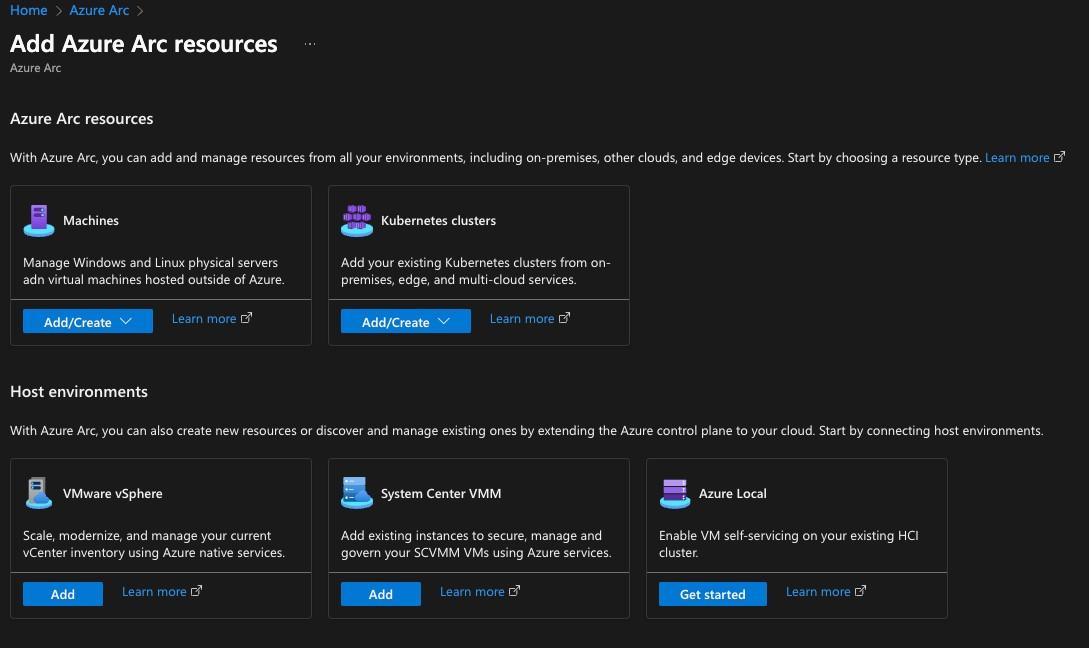
Arc gives you the ability to manage everything from Kubernetes clusters to Virtual Machines VM in one place. The goal here is to give you a centralized pane to manage all resources instead of having more than one portal for seeing and using all resources.
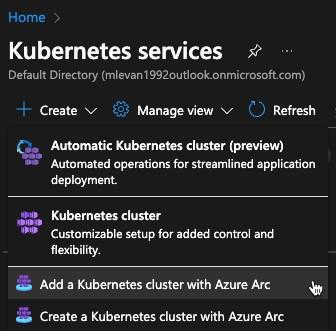
For example, when you create an Azure Kubernetes Service AKS cluster, you can do so directly with Azure Arc.
Within Azure Arc, the goal is to provide you a uniform location for all cloud-native resources along with some security recommendation and hosted options for applications and IoT.
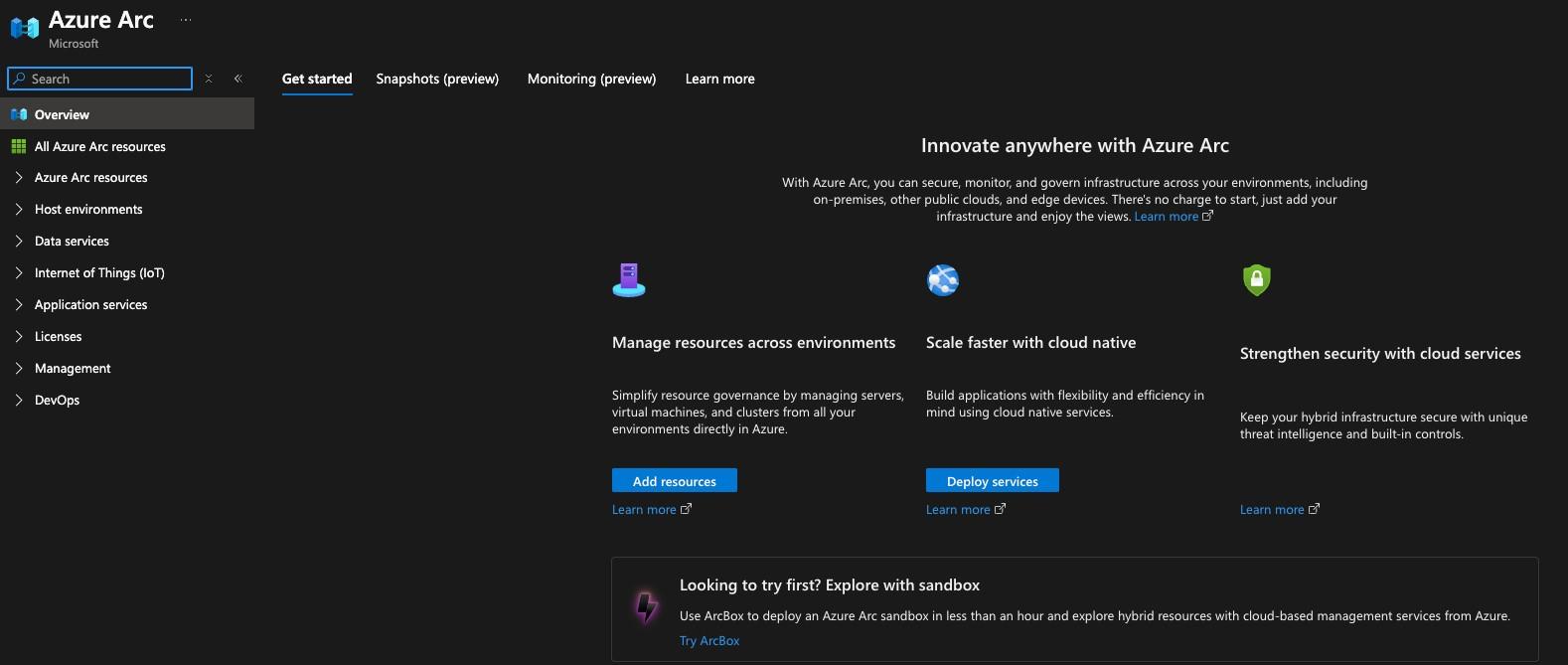
As you can see in the screenshot below, you can manage everything from physical servers to k8s clusters to VMs running in VMWare vSphere/ESXi.
Azure Arc however continues to lean more towards hybrid-cloud. With Azure Local, you can get a bit more granular.
Azure Local (Formerly Azure Stack HCI)
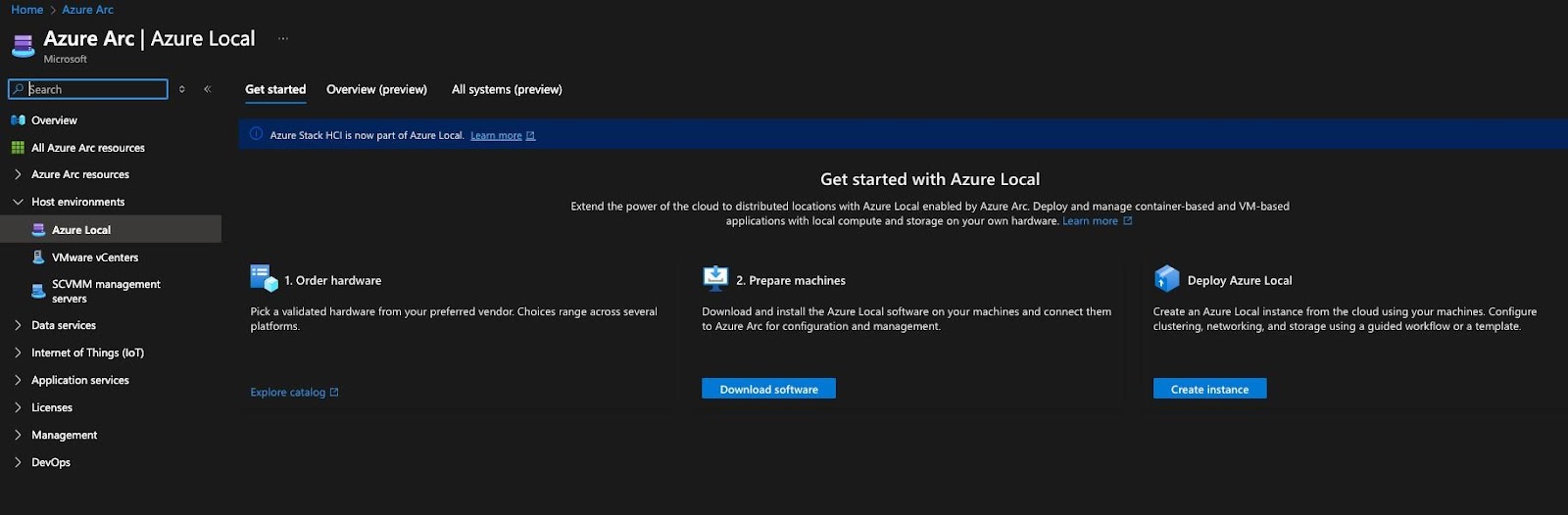
Local, which was once called Azure Stack HCI (they just changed the name at the end of 2024, is a server that sits in your datacenter. The Azure Local server almost turns your physical datacenter into a cloud-like datacenter. Your resources are of course still on-prem in your datacenter, but you can manage them all through the Azure portal so it “looks, smells, and feelsˮ like youʼre in the cloud. This gives you the ability to have one uniform location for all of your environments both on-prem and in the cloud.
Next, letʼs take a look at GCP.
Google Cloud Platform (GCP)
GCP decided to make things a bit more straightforward and instead of giving engineers and leadership teams multiple solutions, thereʼs only one Google Anthos.
Google Anthos
Anthos gives you the ability to create, manage, and deploy servers and clusters both on-prem and in the cloud.
From a cloud perspective, you can manage both AWS and Azure directly from Anthos. Youʼll just need to set up proper authentication and authorization for GCP to connect to AWS and Azure. From an on-prem perspective, Anthos will work with anything from on-prem physical servers to virtualized servers like VMWares ESXi.
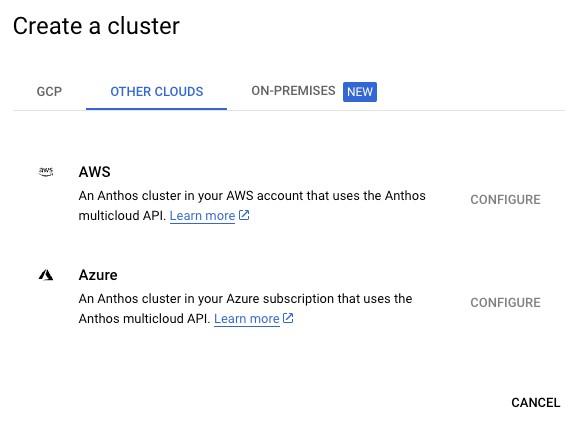
The great thing about Anthos is thereʼs both a cloud and on-prem component, so itʼs tying in all of the cloud-based services nicely instead of having to worry about multiple solutions for both on-prem and in the cloud.
Amazon Web Services (AWS)
Last but certainly not least is AWS, which is currently (and typically) the leader from a market share perspective in the cloud landscape.
AWS offers two services:
EKS Anywhere
AWS Outposts.
Letʼs start with EKS Anywhere.
EKS Anywhere
When youʼre using EKS Anywhere, itʼs not like Anthos or Azure Arc as theyʼre for more than just Kubernetes. EKS Anywhere, as the name suggests, is specifically for EKS. This is a great solution for edge cases. If you need an EKS cluster at a specific location that isnʼt in the cloud, you can set up an Anywhere cluster.
The “comparisonˮ here would be EKS Anywhere and Azure Local as Azure Local is like a server for your datacenter, but even that allows you to manage resources outside of Kubernetes.

AWS Outposts
Outposts on the other hand is not like EKS Anywhere. Itʼs specifically geared to be something like Azure Local. You can use AWS services on-prem with a server in your datacenter.
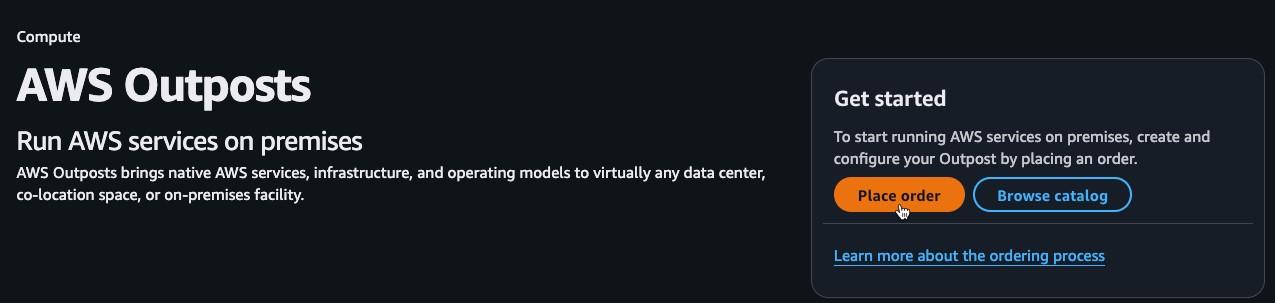
When setting up this option, youʼll need to set up an enterprise-style license with AWS. Costs of course will vary based on the type of server and/or rack you need to run.
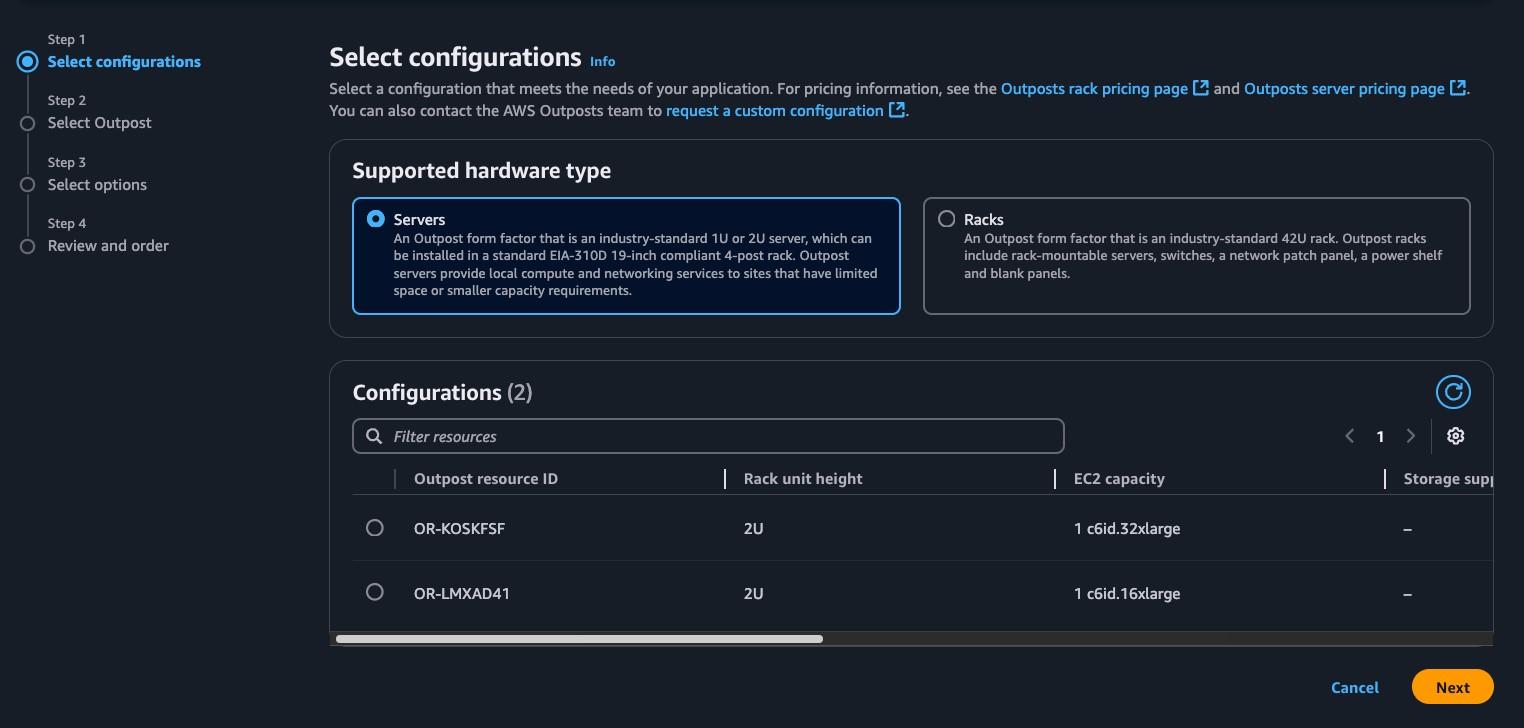
At this time, Outposts appears to make the most sense as it covers all of the AWS services vs EKS Anywhere is just for EKS.
Closing Thoughts
As youʼve seen throughout this article, there are a lot of different solutions for managing both hybrid-cloud and multi-cloud solutions. The best piece of advice here is to figure out which one you want to be the “management planeˮ. If youʼre thinking about using all three clouds, choose the service that makes the most sense in terms of flexibility and options. At the time of writing this, Google Anthos seems to be the victor.
How Codiac Simplifies Multi-Cloud Kubernetes
Multi-cloud Kubernetes sounds great in theory but means juggling different CLIs, auth mechanisms, networking models, and deployment patterns across every provider. Most teams end up locked into one cloud or maintaining separate workflows for each.
Codiac provides a single, unified interface for managing Kubernetes across AWS (EKS), Azure (AKS), and GCP (GKE):
- One CLI, Every Cloud: Same commands, same workflows, regardless of where your clusters live. No cloud-specific scripts or configurations.
- Fleet Management: View and manage all clusters across all providers from a single dashboard. Deploy to multiple clouds with one operation.
- Dynamic Configuration: Environment-specific settings (secrets, endpoints, scaling rules) adapt automatically per cloud provider without manual YAML editing.
- Cloud Migration Made Simple: Moving workloads between clouds becomes a routine operation, not a 6-month project.
Try Codiac free — deploy to any cloud in minutes.
Frequently Asked Questions
Does Codiac support all major cloud providers?
Yes. Codiac supports AWS (EKS), Microsoft Azure (AKS), and Google Cloud (GKE) from a single unified interface. You manage all clusters the same way regardless of provider.
Can Codiac help migrate workloads between clouds?
Yes. Codiac’s snapshot and deployment model makes cross-cloud migration straightforward. Capture your application configuration as a snapshot and deploy it to a cluster on any provider.
How does Codiac handle cloud-specific differences?
Codiac’s dynamic configuration system abstracts provider differences. You define your application once, and Codiac handles the cloud-specific translations for networking, storage, and service discovery.