DevOps Security Best Practices 2026: Securing Kubernetes Deployments with Codiac

The term “DevOpsˮ goes far and wide with many different interpretations of the definition. However, one typical mantra youʼll see when looking into DevOps is anything that falls under cloud-native computing. This can be anything from general cloud practices to Continuous Integration and Continuous
Development/Delivery CICD, Docker/container security, Kubernetes security, and figuring out what tools help with all of the various strategies.
In this article, although not everything can be covered (because that could be a book in itself… in fact, it is), youʼll learn about four key initiatives when thinking about DevOps security best practices.
Cloud Security Defense Strategy
Letʼs start with the easiest - cloud security. The reason why itʼs the easiest isnʼt because of the implementation (thatʼs not easy), but instead because of the amount of data available to you, as an engineer, to ensure that the cloud environment youʼre using is as secure as possible.
For the purposes of this section, letʼs take a look at Microsoft Azureʼs security pane.
💡 Please note that “the big threeˮ all have a security pane/page that you can use to understand your current cloud environment's security posture and ironically, they all look very similar. The point being is if you know how one of them works (like in Azure), youʼll be able to figure out the rest in a straightforward fashion.
The majority of cloud providers will have some sort of security services or a variety of security services. For example, in the screenshot below, the Azure portal shows a few services.
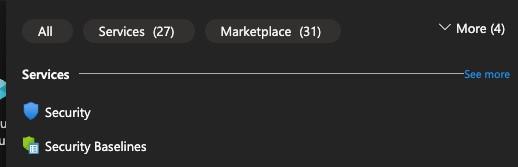
However, thatʼs not really going to be particularly interesting aside from general setup and configuration. What engineers and business leaders are typically more interested in is the particular security for a specified service. For example, if you have a Kubernetes cluster, thereʼs going to be a security pane associated with it. If youʼre thinking about authentication and authorization in each service (like access to a Virtual Machine VM, youʼll use a service like Azure Active Directory AD/Entra, which is going to allow AuthN and AuthZ for a specific service.
Letʼs take a look at how Azure Kubernetes Service AKS implements security.
Within the AKS service of a cluster thatʼs already been created, thereʼs a tab for Microsoft Defender for Cloud.
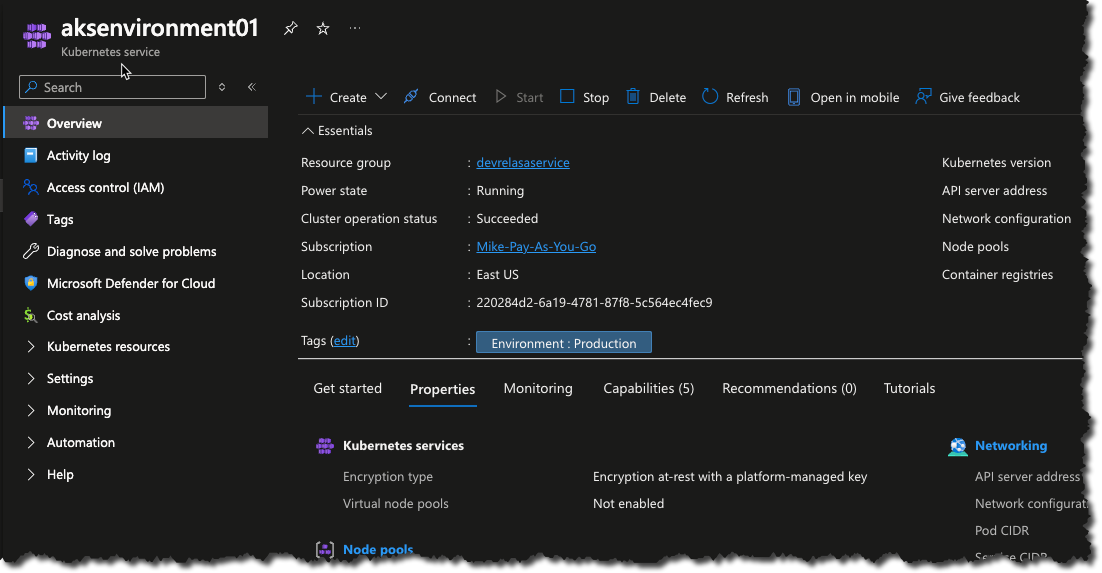
Within Defender, you can see that by default, Microsoft Defender is turned off for containers.
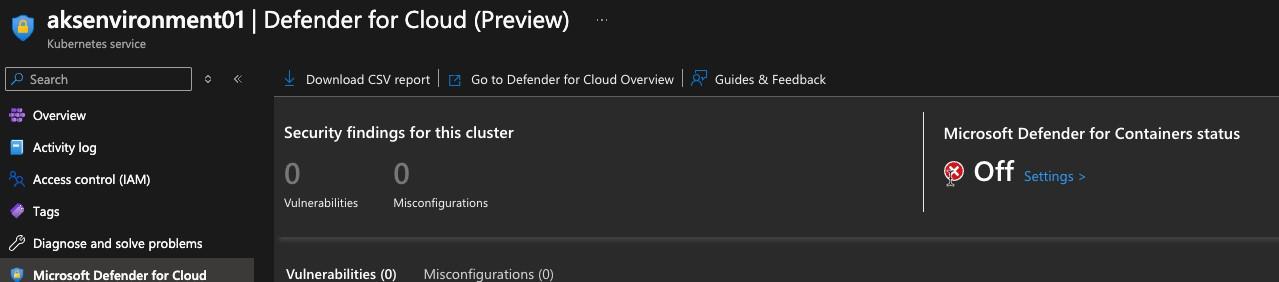
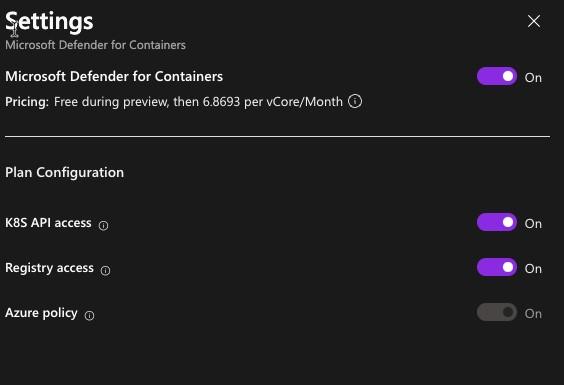
You can turn on the security by toggling the On button. Just remember that there is a financial implication here and does not come free with the service (although, the financial implication here is far less than if your environment is breached).
Another option is to create a cluster with security best practices. Within the creation process of a Kubernetes cluster in Azure, you can choose a preconfigured configuration. For example, the Production Enterprise option as shown in the screenshot below comes with hardened security (no explicit information on that, but Iʼm sure Azure breaks it down in the docs).
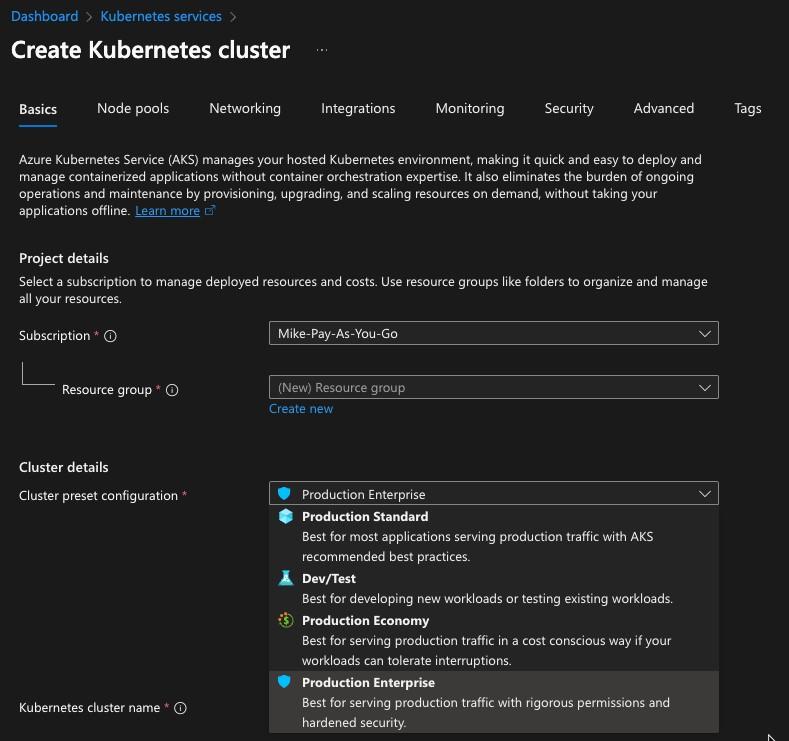
An important note here is although security can be enabled, is it enough? This is going to come down to the needs of an organization. Some organizations require minimal security to “not get Pwnedˮ, whereas others require a more comprehensive security plan for things like FedRamp and Soc2 compliance.
Understanding that the majority of clouds will work in this fashion is very important as youʼll need to remember that setting up your cloud security posture will be available both out-of-the-box or during the creation of a service, but it will never be done for you automatically. Sure, there are certain pieces (like hardened VMs) that you can obtain, however, the overall security of the data is your responsibility (or whoever is managing the cloud environment for you) and not the responsibility of the cloud provider.
For more information, check out the shared responsibility model(all cloud providers have this same model).
Container Security Strategy
As with all security entities in the cloud-native world, there are a lot of options. One option, however, may be more easily obtainable than others - just use the Docker engine.
With the Docker Engine (primarily the desktop application and CLI, you have the Scout option, which is used to scan container images.
First, letʼs start with the GUI.
Within the Docker Desktop, I can scan a container image by clicking the blue Analyze image button.
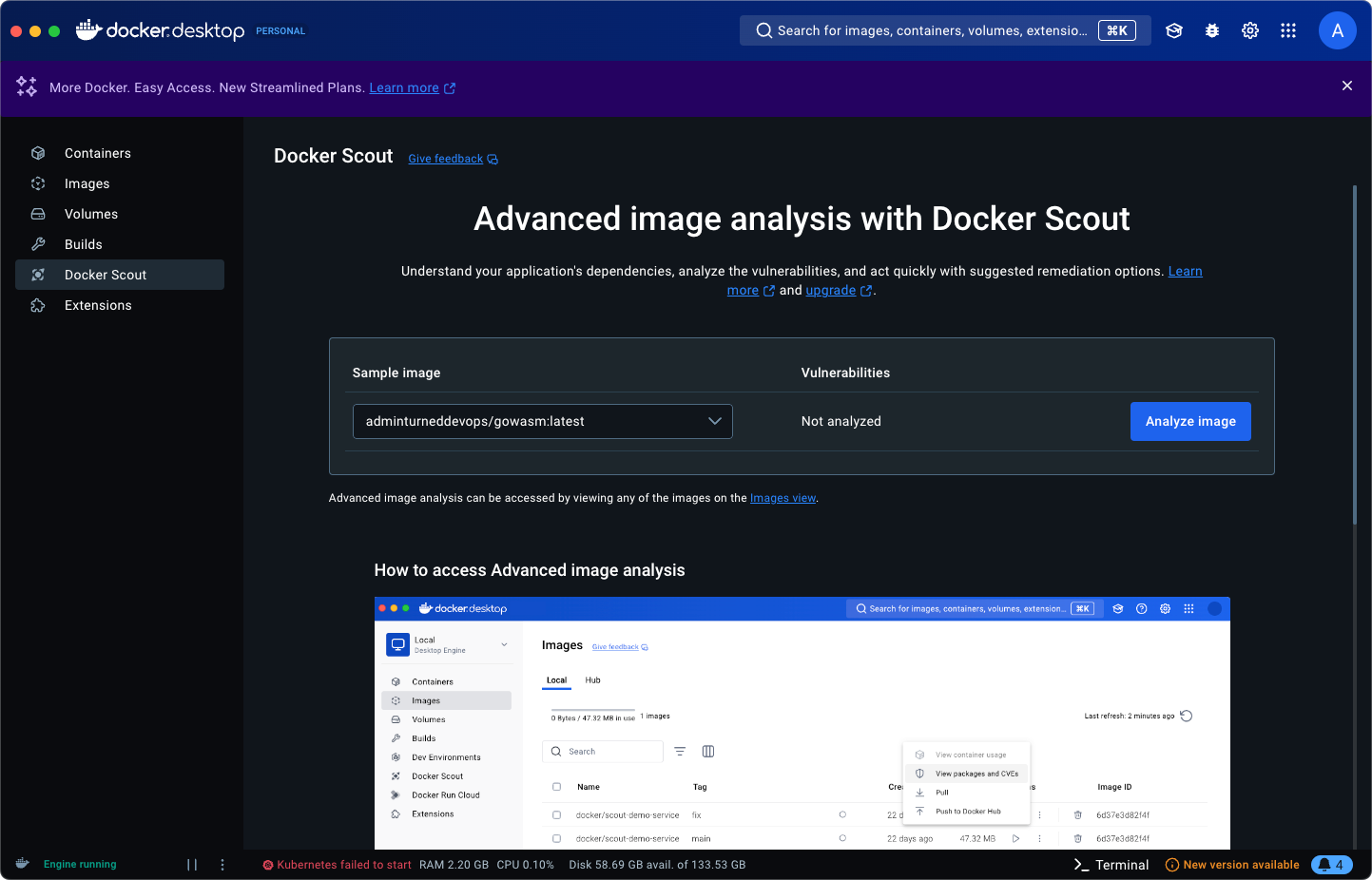
The results will be shown under vulnerabilities.
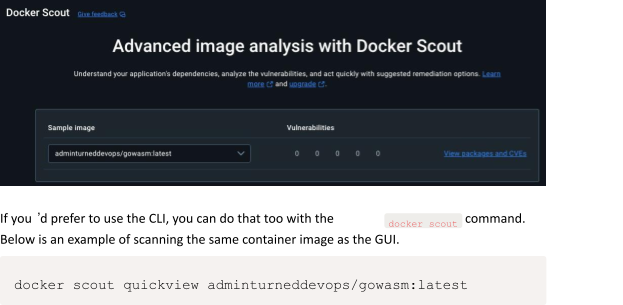
If there are any vulnerabilities, they will be shown.

Scanning a container image wonʼt allow you to remediate everything as the security issue may be in the code itself, but itʼll certainly help you understand if there are particular CVEs that have to do with containerization itself.
Kubernetes Security Strategy
When thinking about any k8s environment, it consists of:
The cluster itself (made up of machines).
The application stacks running inside of the cluster (made up of Pods/Containers and perhaps other resources like VMs).
To ensure proper security for each, you need the ability to scan and remediate for each. There are several tools available, but having a tool that “does it allˮ and has both a free/open-source version and an enterprise version gives a lot of opportunity to whoʼs using it.
Thatʼs where Kubescape, which is a k8s and containerization security tool, comes into play.
First, install Kubescape here. You donʼt have to worry about the paid version as the open-source version comes with the CLI, which is all you need.
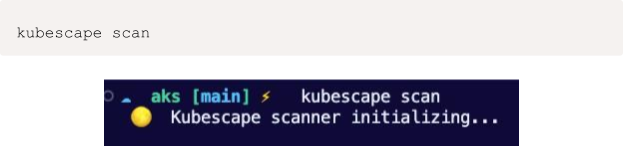
Once Kubescape is installed, you can use the following command to scan the entire cluster.
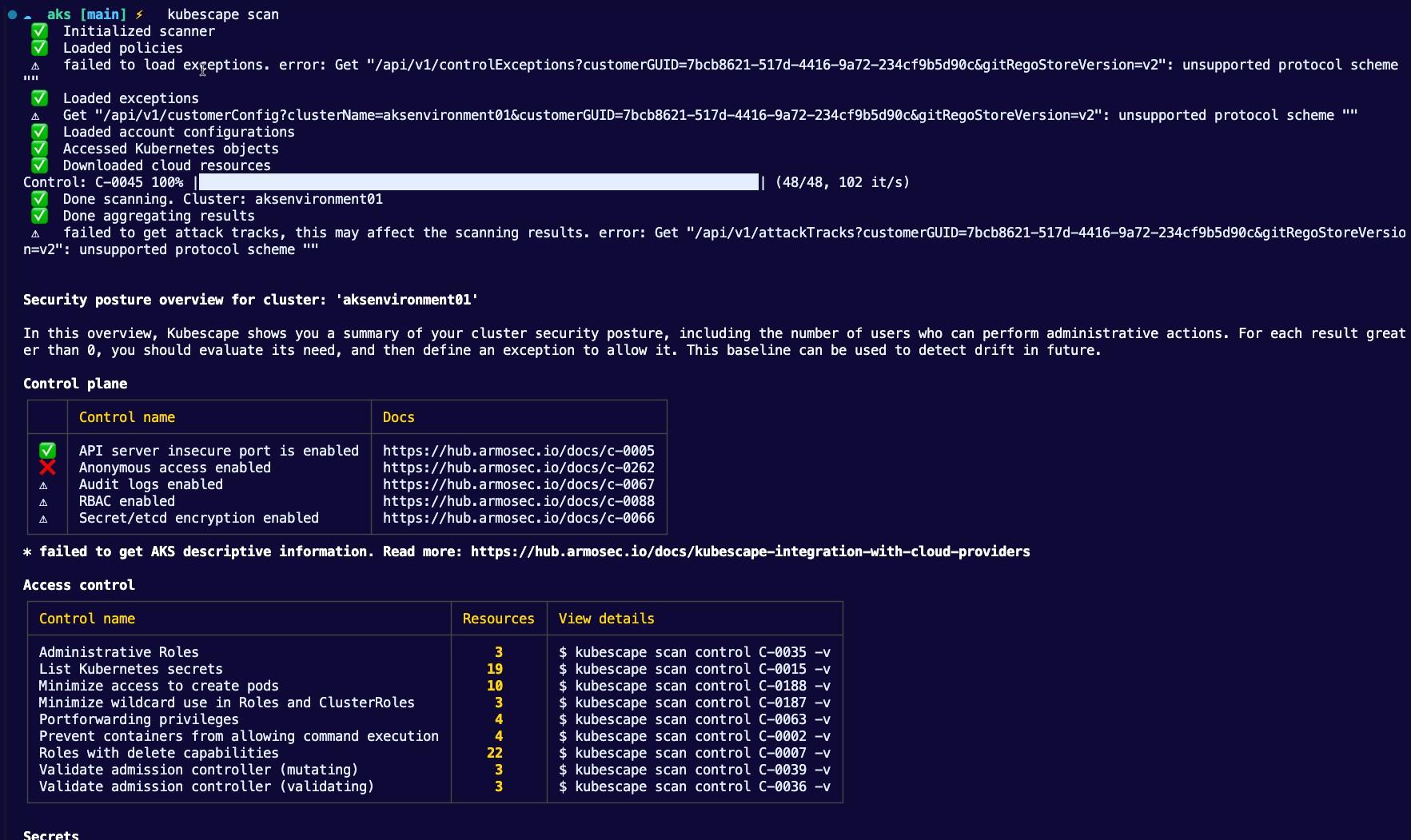
When the scan is complete, youʼll see a lot of different pieces of information which can help you understand your clusters current security posture.
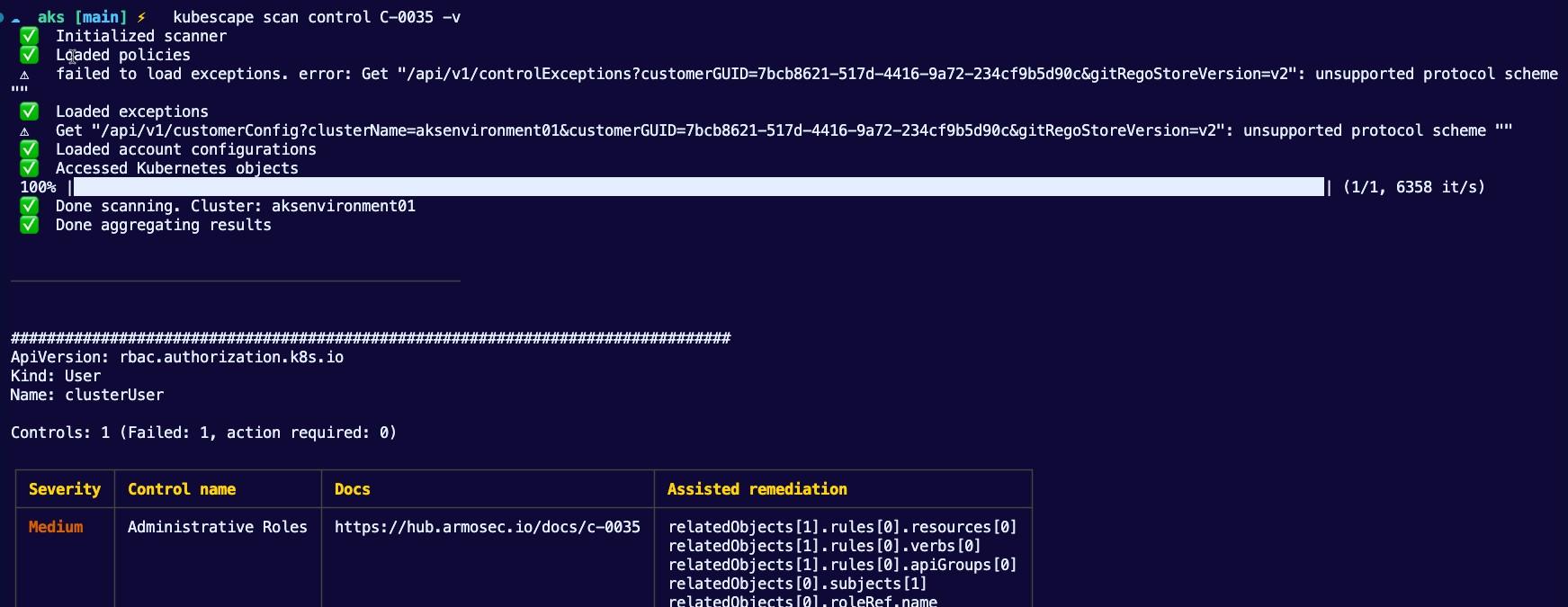
You can even get a bit more granular with the scans. For example, hereʼs the command to scan for the Administrative Roles issue.

To scan against specific frameworks, you can specify them within the scan. For example, hereʼs how to scan directly against NSA.

With an open-source tool like Kubescape, you can scan everything from Kubernetes Manifests to containers to clusters all in one place, which in a world where thereʼs a lot of complexity from having a lot of different tools, this helps a ton.
💡 The open-source/free version doesn't give you the "fix" button to automatically remediate the issues.
Automating Security
There are various solutions for scanning containers, clusters, VMs, and even code
(static code analysis tools like Sonarqube), but something (and by sometimes I mean the majority of the time) everyone wants a tool thatʼs completely automated and may not cover every single basis, but cover enough so they feel more secure to ensure the low-hanging fruit is taken care of.
Within many source control solutions, which is where youʼre storing everything from application code to infrastructure code to Dockerfiles to documentation and everything in between, there are security postures available.
For example, in GitHub, you can use the Code security options for a variety of use cases.
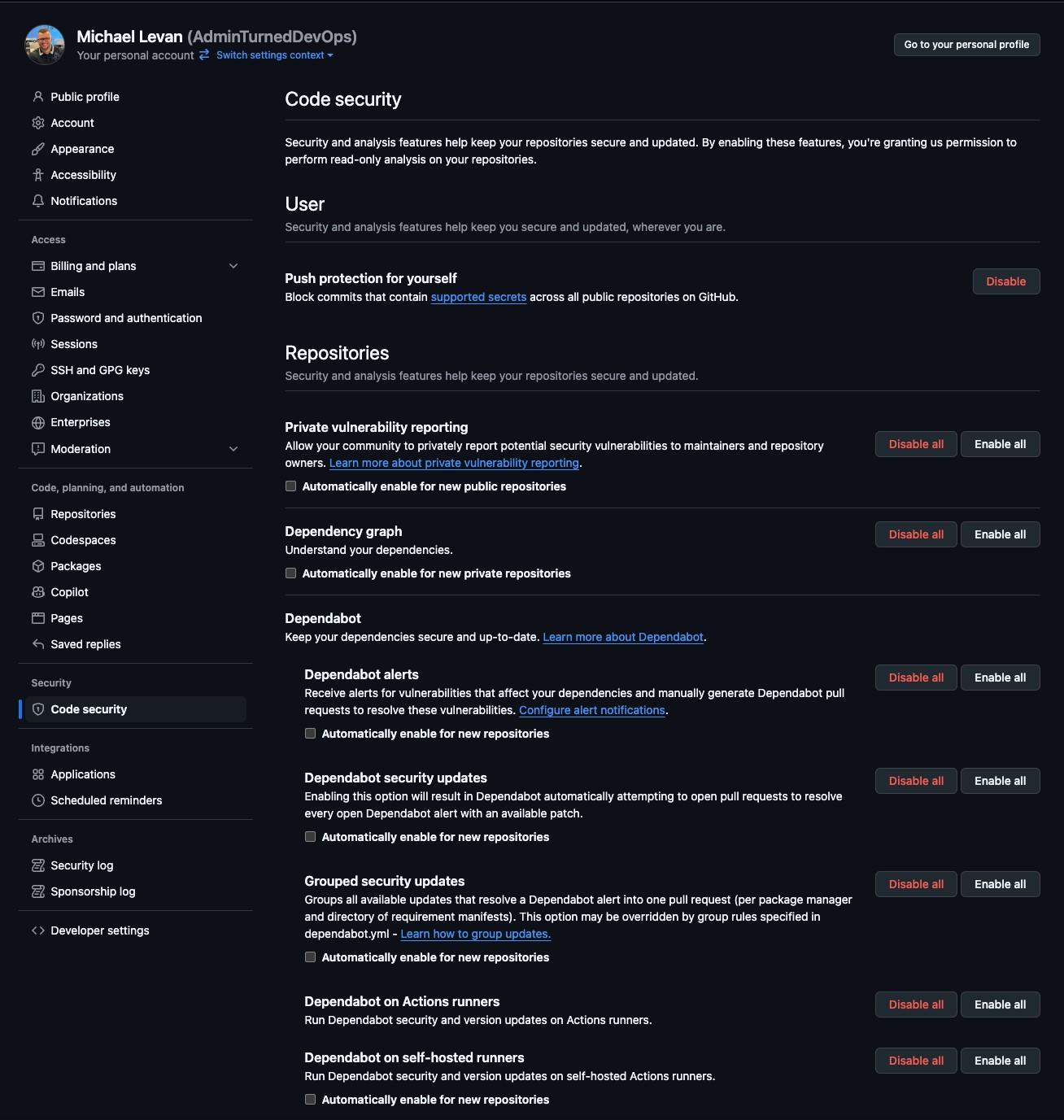
💡There's also nothing wrong with you taking the commands from, for example, the container security section (like docker scout) and running them in a pipeline against your destination (as in a container image).
In the screenshot below, you can see an example email thatʼs sent once per week based on GitHubʼs security database of issues.
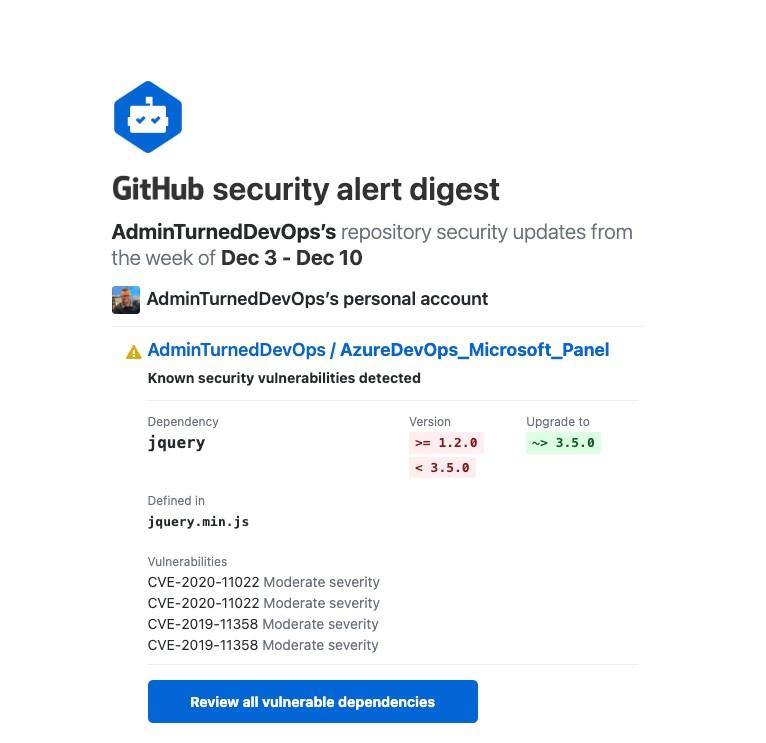
Most tools will give you some type of automated security, which is nice, and options like GitHub Dependabot gives you a bit more peace of mind.
Closing Thoughts
Cloud-native and DevOps security is a bit of a paradigm. On one end, there is so much information out there on the topic that you can implement it without having much doubt. On the other hand, because thereʼs so much information, a bit of “analysis paralysisˮ kicks in. The best answer to solve this problem is to do whatʼs absolutely necessary for your organization and then figure out the rest as needed.
How Codiac Strengthens DevOps Security
Security in Kubernetes is only as strong as your deployment process. Manual configurations, shared credentials, and ad-hoc access create vulnerabilities that no amount of scanning tools can fix.
Codiac builds security into the deployment workflow:
- Environment Isolation: Each environment (dev, staging, production) is fully isolated with its own configuration, secrets, and access controls. No accidental cross-environment data leaks.
- Secrets Management: Codiac integrates with your existing secrets manager and injects secrets at deploy time. No secrets in YAML files, no secrets in Git repos.
- Role-Based Access: Control who can deploy to which environments. Developers get self-service access to dev and staging; production deployments require appropriate authorization.
- Audit Trail: Every deployment, configuration change, and cluster operation is logged. Know who changed what, when, and why.
- Consistent Security Posture: Security policies defined once apply across all environments and clusters. No drift between what security approved and what’s actually running.
Try Codiac free — secure Kubernetes deployments from day one.
Frequently Asked Questions
How does Codiac handle Kubernetes secrets?
Codiac integrates with external secrets managers and injects secrets at deployment time through dynamic configuration. Secrets never appear in YAML files or version control.
Can Codiac enforce deployment policies?
Yes. Codiac’s role-based access model lets platform teams define who can deploy to which environments, ensuring that production deployments follow your organization’s approval process.
Does Codiac support compliance requirements?
Codiac provides a full audit trail of all deployments and configuration changes, supports environment isolation, and enforces consistent security policies across your fleet—all of which support SOC 2, HIPAA, and other compliance frameworks.